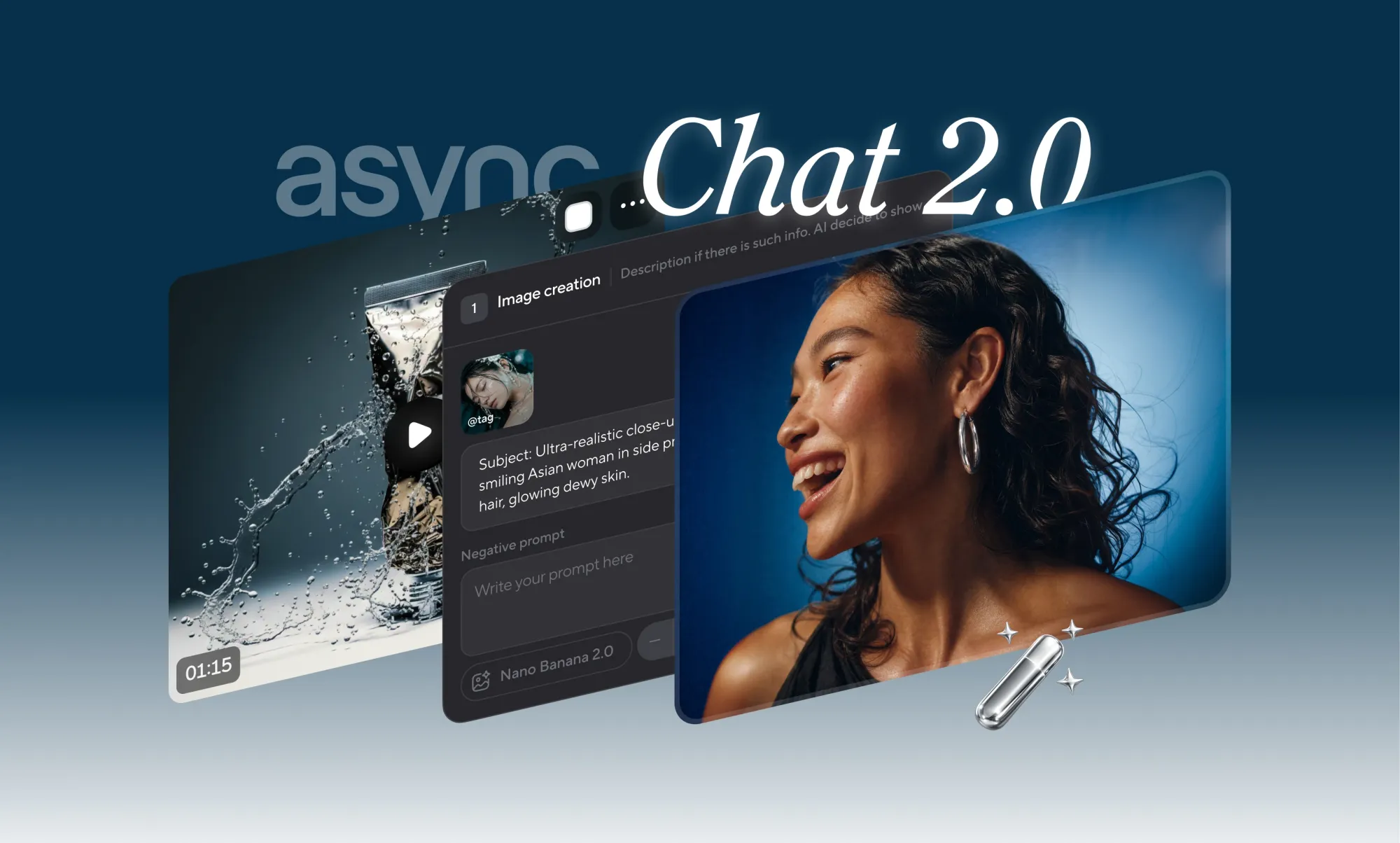
We’re introducing AI Chat 2, aka Bumblebee, to Async’s video editor: a major upgrade to the way you edit or generate videos with AI.
The entire chat experience is now three times faster, with improvements in the parts of the workflow that previously slowed people down the most, such as waiting for the AI to respond or keeping track of what it created.
Not only do we do everything three times faster, but we’ve also improved your overall editing experience. With this model we give you clearer planning, better execution and a smoother path from your initial idea to the finished system.
In other words, Bumblebee is designed to help you move faster without feeling like you have to guess what’s going on behind the scenes.
What’s new in Bumblebee?
Bumblebee is a complete upgrade to the AI chat experience in AI Video Editor.
You can use it to discuss your idea, plan your next video or edit the existing content. The difference is that the entire process now feels three times faster and more predictable.
The AI reacts faster, explains what it plans more clearly and follows the direction it sets better. Generated files are also easier to find and understand in chat, allowing you to see what has been created and decide what to do next without losing the thread.
Overall 3x faster chat experience
The most important improvement is speed.
With Bumblebee, the entire chat experience is now 3 times faster. This means you can spend less time waiting for the chat to understand your request, prepare the next step, or respond during planning and processing.
This doesn’t mean that each generation itself is suddenly three times faster. The generation speed still depends on the model, task and type of output.
What’s faster is the experience involved: the thinking, planning, reacting, forwarding, and back-and-forth that happens as you try to create or edit something.
The momentum is usually lost. Bumblebee is designed to keep moving.
First created for editing
Async is not just a place to generate something from scratch.
A lot of the real work happens after you already have footage, clips, images, audio, or a rough idea in front of you. You may want to clean up a video, change the tempo, create variations, extract frames, try a new direction, or transform a piece of content into something more sophisticated.
Bumblebee is designed for this complete workflow.
You can start by editing existing content or generating something new. You can request a plan, make changes, create assets, review the result and move on from there without leaving the editor.
The experience is faster and easier to follow, but the bigger change is control. Chat can now better understand what you want, explain what needs to be done, and help you move the project forward.
Run multiple generations at the same time
One of the biggest upgrades in Bumblebee is parallel generation.
Instead of waiting for one output before starting the next, you can generate multiple results at once. This means you can explore different ideas, compare styles, create options, and move faster through the parts of the process that usually slow everything down.
This is particularly useful if you’re still deciding which direction you want to take.
You can test multiple visual ideas. Try different versions of a scene. Create multiple assets for the same project. Or simply cycle through multiple generations without treating each one like a separate waiting room.
Creative work rarely follows a straight line. Bumblebee gives you more room to explore without slowing down every time you want a different option.
Start a task, leave and come back when it’s done
Some editing tasks are quick. Others take longer.
Bumblebee allows longer tasks to continue running in the background, so you don’t have to wait while Async works.
Start the task, close the window and do something else. Async notifies you when the job is complete.
This makes a real difference for larger edits and more extensive creative needs. You can continue working, take a break, answer messages, or get on with your day instead of looking at the chat and wondering when it’ll be done.
This makes Async feel less like something you have to pay attention to and more like something you can work on by hand.
Skills make repeatable work sharper
Bumblebee also brings the foundation of skills.
Skills are focused workflows that help Async complete specific creative tasks more precisely. Instead of treating each request like a general prompt, Skills gives Async a clearer task.
There are abilities for things like generating images, removing bad shots, extracting frames, creating AI cartoons, and more.
You select the skill, write your prompt, and Async uses that special workflow to do the task more specifically.
This is particularly useful for repeatable creative work where you want the system to understand the nature of the task from the start, rather than figuring it out from scratch each time.
Ask when you want to think. Take action if you want to create something.
Bumblebee introduces two modes: Ask and Trade.
- Questions is used to plan, discuss, explore ideas, and figure out the best direction before creating or changing anything.
- act is intended for when you already know what you want and need async for it.
You can of course switch between the two depending on where you are in the workflow. Sometimes you want to talk about an idea first. Sometimes you just want the editing done. Bumblebee makes this difference more clear, allowing you to maintain control over when the chat explains and when it starts.
Check out the plan before Async starts
Bumblebee also makes it easier to track larger actions.
With plan blocks, Async shows what it is about to do before starting. You can see direction, understand the next step, and notice anything that seems uncomfortable before work begins.
This is particularly useful for more complex edits or generation where a prompt can result in multiple actions.
Instead of wondering if Async understood your request, you can start by looking at the plan. The workflow becomes clearer and the finished result is easier to evaluate.
Fewer surprises in the end result
Bumblebee improves the connection between what Async says and what it actually produces.
This means less confusing results, fewer unexpected twists, and an overall more predictable creative process.
When you ask Async to edit or create something, the plan should make sense and the end result should follow that plan as closely as possible.
This is one of the quieter upgrades, but it is very important. A faster workflow only helps if you can trust where it’s going.
More control over what you don’t want
Bumblebee also supports negative prompts, so you can tell Async what to avoid.
This gives you more control over the outcome right from the start. Instead of just describing what you want, you can also control the output by saying what you don’t want to appear, what style you should avoid, or what direction you shouldn’t take.
It’s a simple change, but it makes the prompt feel more precise.
Generated files are easier to track
When Async creates something, it should be clear what was created and what you can do with it next.
Bumblebee improves the way generated files appear in chat, making assets easier to find, understand and further work with.
This is important when creating multiple versions, performing multiple edits, or testing different directions in the same project.
The workflow should feel clean: create, review, continue.
The right model for the job
Different creative desires require different models.
Some are better for videos. Some are better for pictures. Some are better for style, detail, speed, or certain types of edits.
Bumblebee improves the way Async chooses the right model for the job, so you don’t have to think through every technical decision yourself.
You describe what you want to do or change, and Async handles a lot of the routing behind the scenes.
Overall, Bumblebee improves the way Async selects the right model for the job, so you don’t have to think through every technical decision yourself.
You describe what you want to do or change, and Async handles a lot of the routing behind the scenes.
Bumblebee is the chat version we’ve wanted for Async for a long time. Just a quicker, clearer way to ask for an edit, try out a few ideas, see what happens, and keep the project going without feeling stuck in the middle of the process.
It’s still the beginning, but it’s a big one.
Bumblebee is now available in Async’s video editor.
PakarPBN
A Private Blog Network (PBN) is a collection of websites that are controlled by a single individual or organization and used primarily to build backlinks to a “money site” in order to influence its ranking in search engines such as Google. The core idea behind a PBN is based on the importance of backlinks in Google’s ranking algorithm. Since Google views backlinks as signals of authority and trust, some website owners attempt to artificially create these signals through a controlled network of sites.
In a typical PBN setup, the owner acquires expired or aged domains that already have existing authority, backlinks, and history. These domains are rebuilt with new content and hosted separately, often using different IP addresses, hosting providers, themes, and ownership details to make them appear unrelated. Within the content published on these sites, links are strategically placed that point to the main website the owner wants to rank higher. By doing this, the owner attempts to pass link equity (also known as “link juice”) from the PBN sites to the target website.
The purpose of a PBN is to give the impression that the target website is naturally earning links from multiple independent sources. If done effectively, this can temporarily improve keyword rankings, increase organic visibility, and drive more traffic from search results.